
TWAI ATLAS · FOR macOS
Travel photos scattered across folders? TWAI Atlas places them on a map and timeline, then helps you tell the story of your trip.
CA$49 · one-time payment
Buy TWAI AtlasmacOS app · personal license · your media stays on your Mac.
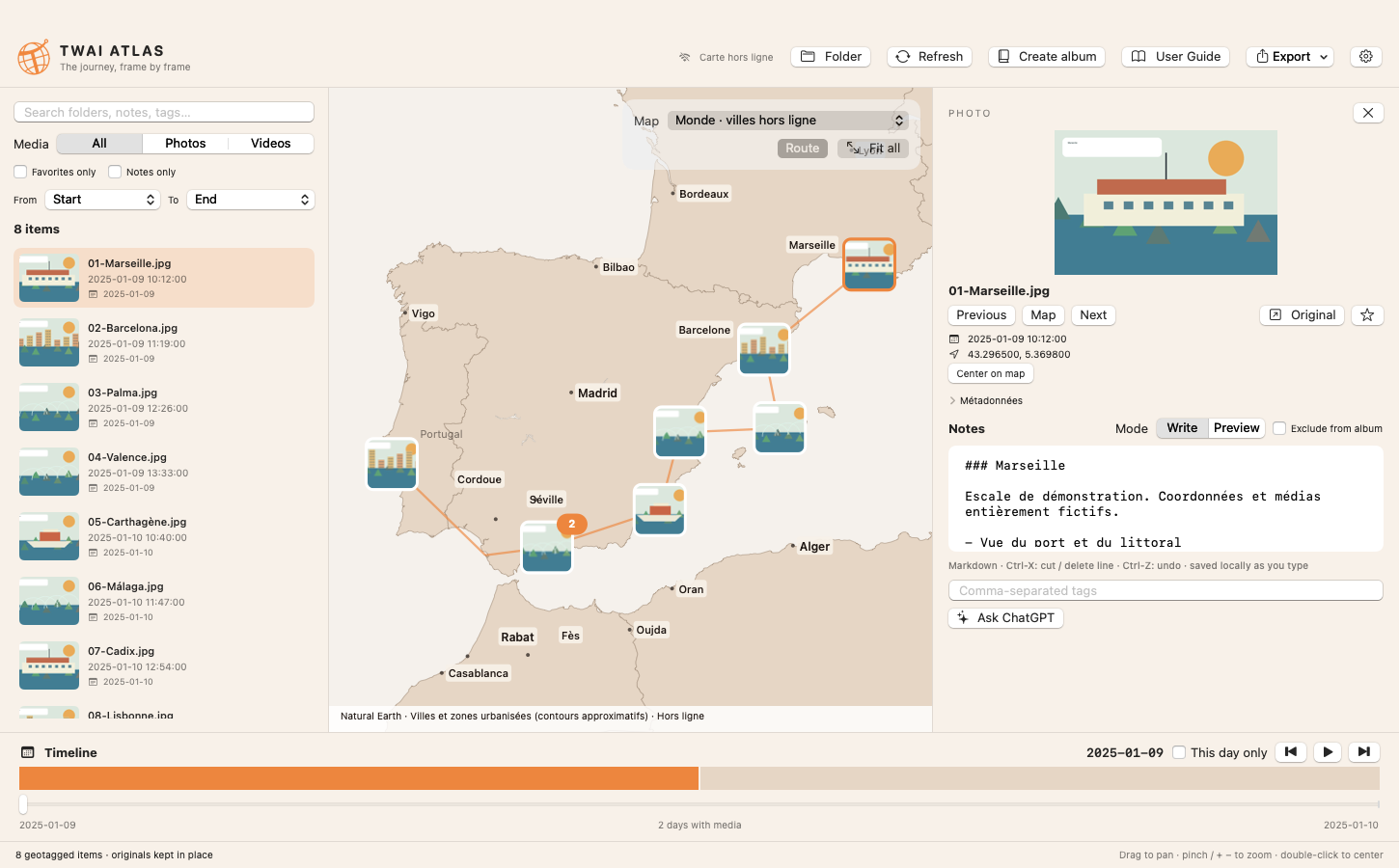
See geotagged photos and videos on a detailed map. Follow them chronologically with straight-line route segments, and use the timeline to focus on a day.
TWAI Atlas indexes GPS-tagged files without moving or uploading originals. Review dates and metadata, find an item, and write notes in Markdown.
Select media, page layouts, and composition, then export a PDF photo book. Photo links open their location in Google Maps.
ChatGPT requires an Internet connection and an OpenAI API key billed separately. Online maps also require Internet access.
CA$49, paid once. The license allows personal use of TWAI Atlas on two computers owned by the license holder. It includes updates within the purchased major version; a future major version may be offered separately. Initial activation requires Internet access. After activation, the app works offline and checks the license when a connection is available.
macOS 14 or later. An Internet connection is required for initial activation and to download updates.
No. The index and annotations are stored locally. Only the explicit “Ask ChatGPT” action sends the selected media to OpenAI, using your API key.
Only files with usable GPS coordinates appear on the map. Media without GPS is skipped.
Yes, after license activation: the app and offline map remain available. Internet is needed for OpenAI, online maps, and update downloads.
The macOS app, a personal license for two Macs, and updates within the purchased major version. Later major versions may be sold separately.
Recevez nos dernières mises à jour sur la planification de voyage.